在模板设计时,有时需要文本信息围绕其他组件(如图形)进行显示。下面通过例子演示康虎云报表如何实现该功能:
在数据band中的“Notes”对象下方增加一个“文本”对象,如下:
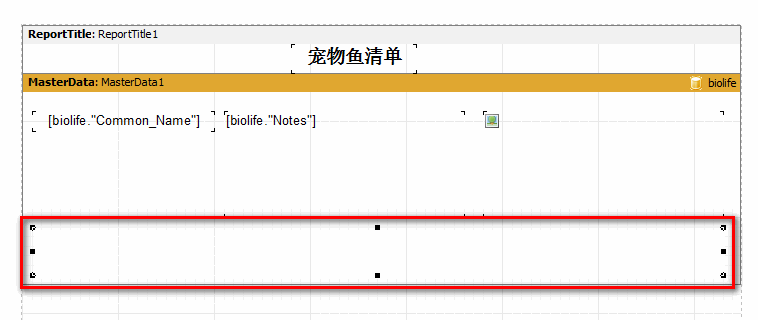
设置“Notes”的“伸缩”属性为False,并启用下边的对象的“伸缩”属性。选中“Notes”对象,在对象监视器中设置FlowTo属性,从下拉框中选择下面的对象名称。显示结果如下:
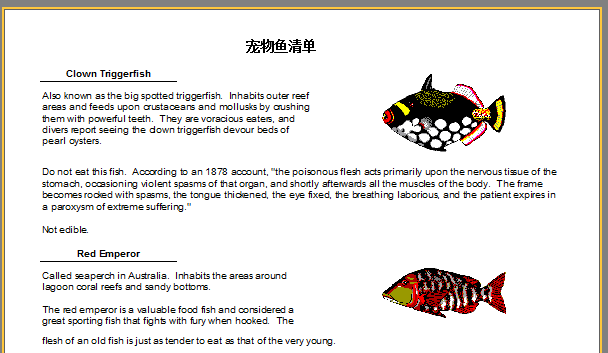
当生成报告时,如果文本在顶部容纳不下,则超出部分将移动到底部对象。 通过围绕图像布置两个对象,实现文本包裹的效果。
Please note: the main object must be inserted in the report before inserting the linked one, otherwise text flow may not function correctly! If this occurs, select the linked object and bring it to the front using the “Edit>Bring to front ” menu item.